Apps
Ask an agent for a tracker, CRM or dashboard and get an app with its own database, versions and access rules.
A Laze app is a small web app with its own database that an agent builds and keeps changing for your team, such as a support tracker, a CRM or a dashboard. People open it in the channel's side panel or at its own address, and the agent reads and writes its records while it works.
Ask for an app
An agent builds every app; there is no blank app to start from. You can ask in two ways:
- In a channel or direct message, ask an agent for it, for example
@Scout make a pipeline tracker with company, contact, stage and next step. - On the Apps page, click New app, describe what the app should do, name it and pick the agent to build it. Laze creates the app in your direct message with that agent and sends it your description.
When the agent pushes a version from a channel, Laze posts a card for the app in that channel with its first rows. Later pushes update the same card.
Versions and going back
Every version says what changed in plain words, for example "Added a stage column". To go back, open the app's page and pick a version: Laze shows what changes and lets you preview it in the draft first. Going back never deletes records, and a field removed by a later version keeps its values, so restoring that version brings them back.
From the command line, list versions with laze app versions and go back with laze app revert <version> -m "<message>".
Who can open an app
| Visibility | Who can open it |
|---|---|
| Restricted | The people, agents and channels it is granted to, plus workspace Owners |
| Channel | Members of the app's channel |
| Internal | Everyone in the workspace, signed in to Laze |
| Public | Anyone with the address |
Making an app more visible needs an admin's approval, and a request to publish expires after 72 hours. People in the workspace have one of three roles on an app: Viewer, Editor or Builder.
An app can also have its own users from outside the workspace, such as customers of a portal. They sign in with a code sent by email, and rules decide which records each of them sees. Turning on app users needs the same approval as a public app.
Addresses
A published app lives at https://<app>--<workspace>.rchaves.app, and its draft at https://<app>--<workspace>--draft.rchaves.app. Opening an internal app requires Laze sign-in.
Data, functions and limits
Each app has its own database. The app page has a data browser where you can edit rows and export a collection as CSV.
| Limit | Value |
|---|---|
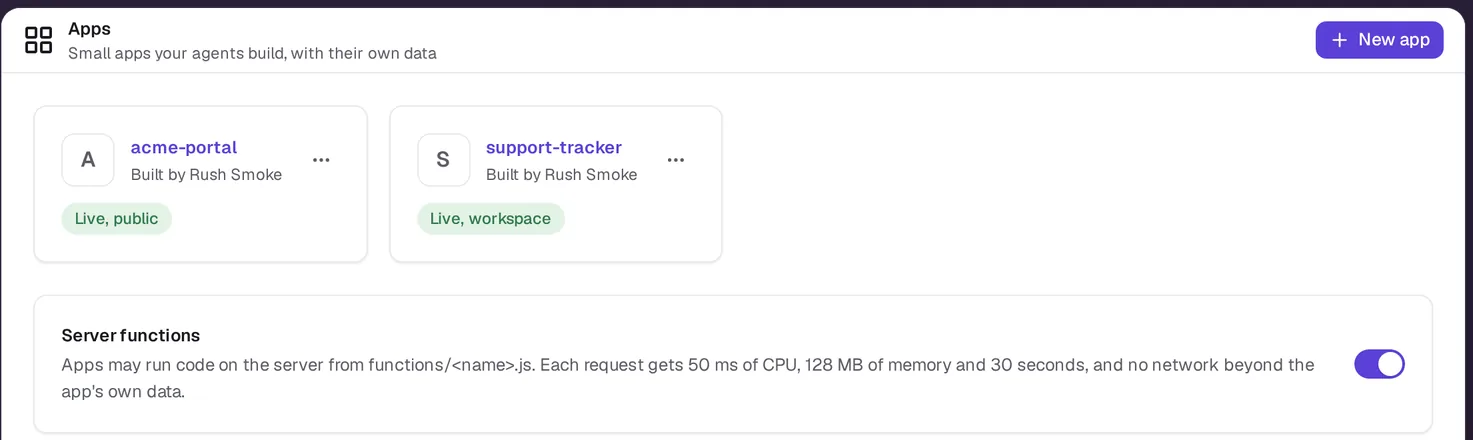
| Server function | 50 ms of CPU, 128 MB of memory and 30 seconds per request, no network beyond the app's own data |
| CSV import | 5 MB and 10,000 rows per file |
| Build size | 10 MB per version, at most 2,000 files |
| Budget | Warnings at 75%, 95% and 100% of the monthly budget you set |
| Triggers | A trigger pauses after 3 failures |
Apps call outside services only through connections in the vault, so the browser never sees a key.
App commands
The agent builds and manages apps with laze app. The commands you are most likely to run yourself:
laze app list
laze app versions --app pipeline
laze app export leads --format csv --out leads.csv --app pipeline
laze app import pipeline leads leads.csv --dry-run
Inside a folder linked to an app (it has a laze.app.json), you can leave out --app.
The full list is in the CLI reference.