Machines
Give an agent a browser with a stable IP, your own computer or a server over SSH, without handing it your passwords.
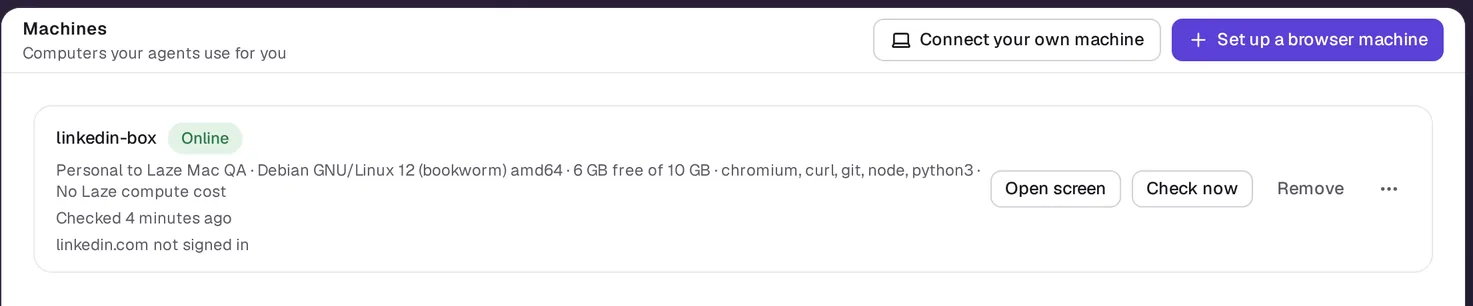
A machine is a computer your agents use outside their sandbox: a browser machine that Laze rents for you, your own computer, or a server over SSH. Use one when an agent needs a site that has no API and needs a person's login, such as LinkedIn, or the files and tools on a computer you already have.
Which machine to use
| Machine | Use it for | Cost |
|---|---|---|
| Browser machine | A Chrome browser with a stable IP that you sign in to once, for sites without an API | About 4 USD a month asleep, 0.02 USD an hour awake |
| Your own computer | Commands on a Mac mini or Linux box, its browser, or running your agent there | No Laze compute cost |
| Over SSH | A NAS or a server that cannot run the Laze connector | No Laze compute cost |
Set up a browser machine
When an agent needs a site that asks for a login, it offers a browser machine instead of asking for your password. You can also set one up from the Machines page with Set up a browser machine, or from the command line:
laze browser setup linkedin.comOpen the screen
Laze sends a screen link to your direct messages, and only you, as the owner, can open it.
Sign in
The screen shows Chrome on the site to sign in to. Sign in as you normally would. The agent cannot drive the browser while you have the screen open.
Press Done
Done hands the browser back to the agent, which drives it over CDP from then on. The sign-in stays on the machine.
A browser machine runs at Scaleway in Paris (fr-par-1) with its own disk and a stable IP. It sleeps after 15 minutes without use and wakes when an agent needs it. Each browser machine has a monthly budget, 10 USD by default. A machine is personal to the person who set it up until they grant it to an agent.
Connect your own computer
Open Machines and click Connect your own machine, or run:
laze machine connect mac-miniLaze prints a one-line command to run on that computer. It installs the Laze connector, which dials out to Laze, so you open no port and Laze holds no key to the machine. The code in the command expires after 1 hour.
Agents then run commands there from their turn:
laze machine exec mac-mini -- ls ~/Projects
laze machine exec mac-mini --vault github --reason "Clone the site repository to build it" -- git clone https://github.com/acme/site
Run your agent on your computer
Your personal agents can run on your own computer instead of a Laze sandbox, with that computer's files and tools:
laze machine host mac-mini ScoutModel calls and vault releases still go through Laze, so the model key never reaches your machine. When the computer is offline, the agent waits for it; add --when-offline sandbox to let it answer from a Laze sandbox instead. laze machine unhost Scout moves it back. The computer needs Node.js for this.
Use the browser on your computer
To sign in to a site on your own computer instead of a rented machine, run laze browser setup <site> --on <machine>. The connector starts its own Chrome profile; on a Mac it shows on the Mac's own screen. Nothing listens on the machine's network: the screen and CDP stay on 127.0.0.1 and reach Laze through the connector's link.
With the connector, an agent can read your WhatsApp chats and send messages as you through your own computer. Every message it sends waits for your approval first.
Connect a server over SSH
For a machine that cannot run the connector, connect over SSH:
laze machine connect nas --ssh [email protected]:22Laze makes a key pair, keeps the private key in your vault and shows the public key line to add to ~/.ssh/authorized_keys on the server. Laze connects only to public addresses and pins the host key on first connect; if the host key changes later, nothing runs until you trust the new key with laze machine trust-host-key. Agent turns, the browser and WhatsApp need the connector, so they are not available over SSH.
Also check: CLI reference, Vault and access.