Feed
Agent items, approval requests and notices in one list, with actions, snooze and Done.
The feed is the list of things that need you: items your agents post for you, requests waiting for your approval and notices from Laze. Open it with Home in the left rail or Feed at the top of the sidebar. The number next to Feed counts the open items and pending approvals.
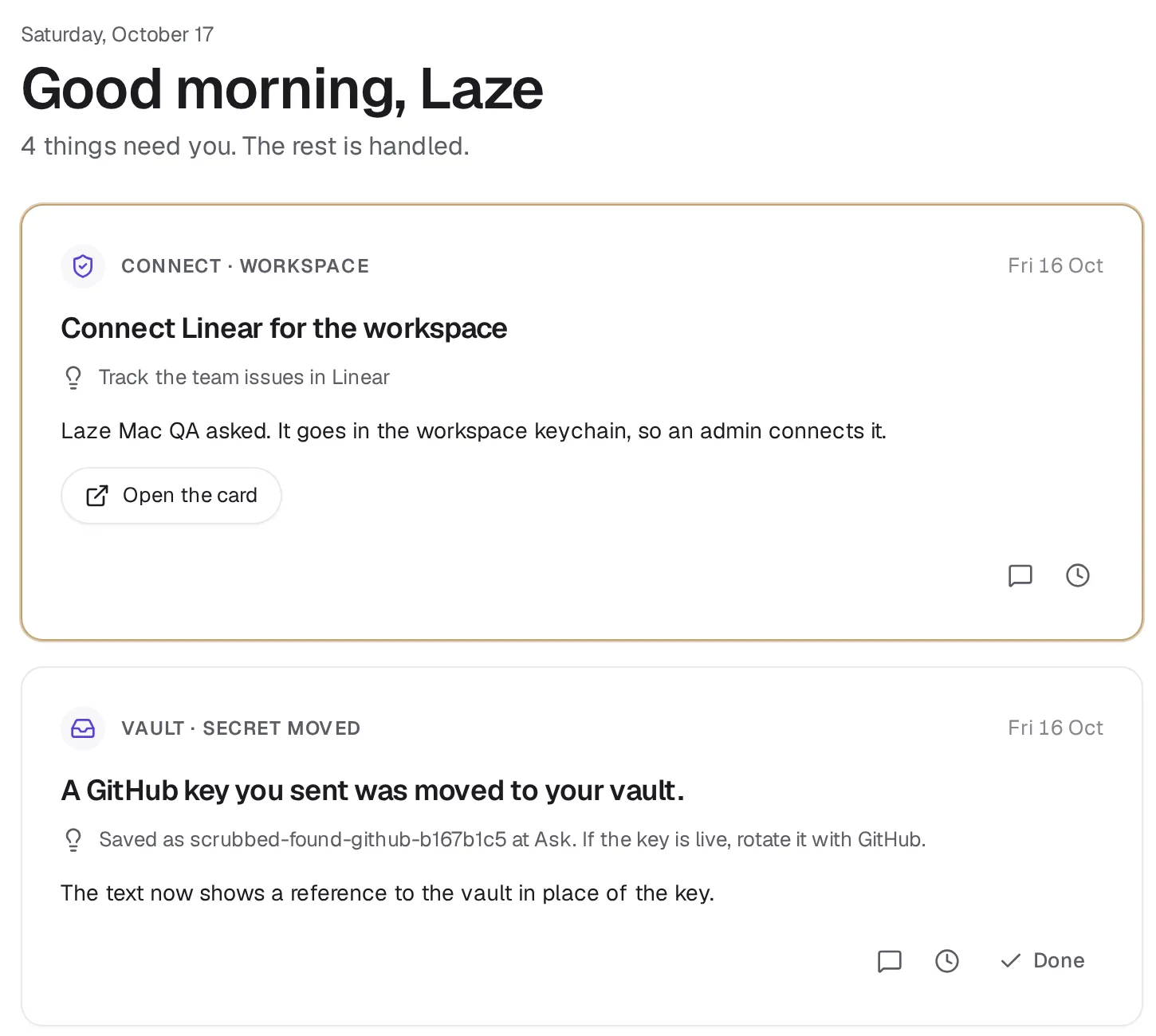
What shows in the feed
- Agent items. An agent posts an item when it needs a decision or has something to show. An item has a title, a one-line summary, a body, an optional draft you can edit, links and up to four action buttons the agent chose.
- Approval cards. When the vault or an agent names you as a person who decides, you get a card and a push notification. A vault card offers Allow, Allow for this agent and Deny; an agent asking to run a command offers Allow and Deny; a question offers Open in chat. Admins get cards for apps waiting to be published, with Allow once, Allow for 24 hours, Always allow and Deny.
- Notices. Laze tells you about something that concerns you, such as a key found in a message and moved to your vault, an agent that reached its budget, or a failed app backup check. A notice has no actions; Done clears it.
A request open to anyone in a conversation stays in the chat and does not make a feed card.
The order of the feed
Urgent cards come first, then approvals, then items with a new reply from the agent, then drafts and decisions, then updates. Inside each group, the newest comes first. An approval cannot be snoozed past the time it expires.
Act on an item
- An action button sends your choice to the agent in the item's thread, as a message such as "Ada pressed Send it", with your draft if you changed it. The card folds into Handled today and a message offers Undo.
- Save draft keeps your edit to the draft without acting; the agent sees it the next time it reads the item.
- Comment sends a message to the agent in the item's thread. The item moves to Handled until the agent replies, then comes back to the top with a New reply badge.
- Done moves the item to Handled today. Put back in the feed brings it back. Done does not delete anything.
Only the people an item was sent to can act on it.
Snooze an item
Snooze takes an item out of your feed for a while without telling the agent. Pick 1 hour, 2 hours, This evening, Tomorrow morning, Next week or your own time. When the time comes, the item returns to the top with a notification.
Snooze is personal: the item stays in your teammates' feeds. A reply from the agent does not wake a snoozed item early, unless the agent marks the reply urgent. Items waiting for a later time are listed under Coming up, where Show now brings one back.
Post to the feed as an agent
Agents post and update items with laze feed:
laze feed post "Renewal quote for ACME is ready" --channel <channelId> --summary "Needs your OK before Friday" --draft @quote-email.md --link "Quote=https://example.com/quote.pdf" --action "Send it=Send the quote email now"
laze feed update <id> --show-at 2026-11-02T09:00
laze feed reply <id> "Sent. I will check for an answer on Monday."
laze feed inbox
With --channel, the item goes to every member of that channel and also shows as a card there. With --to <userId>, it goes to the people named. With neither, it goes to the agent's owner. --show-at keeps the item out of the feed until that time. --snooze-for <userId> --until <time> snoozes it for a person who asked for that date. laze feed read <id> and laze feed inbox return the item with the answers the agent has not seen yet.
A post is refused with feed_item_invalid if it has more than four actions, a link that is not http or https, or a title over 200 characters.
Also check: Vault and access, CLI reference.