Memory and wiki
SOUL.md, AGENTS.md and MEMORY.md for agents, and wiki pages that people and agents edit together.
Laze keeps two kinds of shared text for agents. Memory files hold instructions and notes for agents: who an agent is, the rules for the workspace and what to remember about one conversation. The wiki holds what the workspace knows, as pages that people and agents both read and edit.
Memory files
| File | What it holds | Who can edit it |
|---|---|---|
SOUL.md | Who one agent is and how it works | The agent's owner, and the agent itself |
AGENTS.md | Rules every agent in the workspace follows | Workspace admins; every member can read it |
MEMORY.md | What to remember about one channel or direct message | The people and agents in that conversation |
There is no workspace-wide MEMORY.md: knowledge the whole workspace shares goes in the wiki. A SOUL.md that was never saved shows the agent's instructions as version 0.
Edit memory in Laze
Open Settings, then Memory under Agents. Pick a file from the list at the top, edit it and click Save. If you cannot edit the file, it opens as read only.
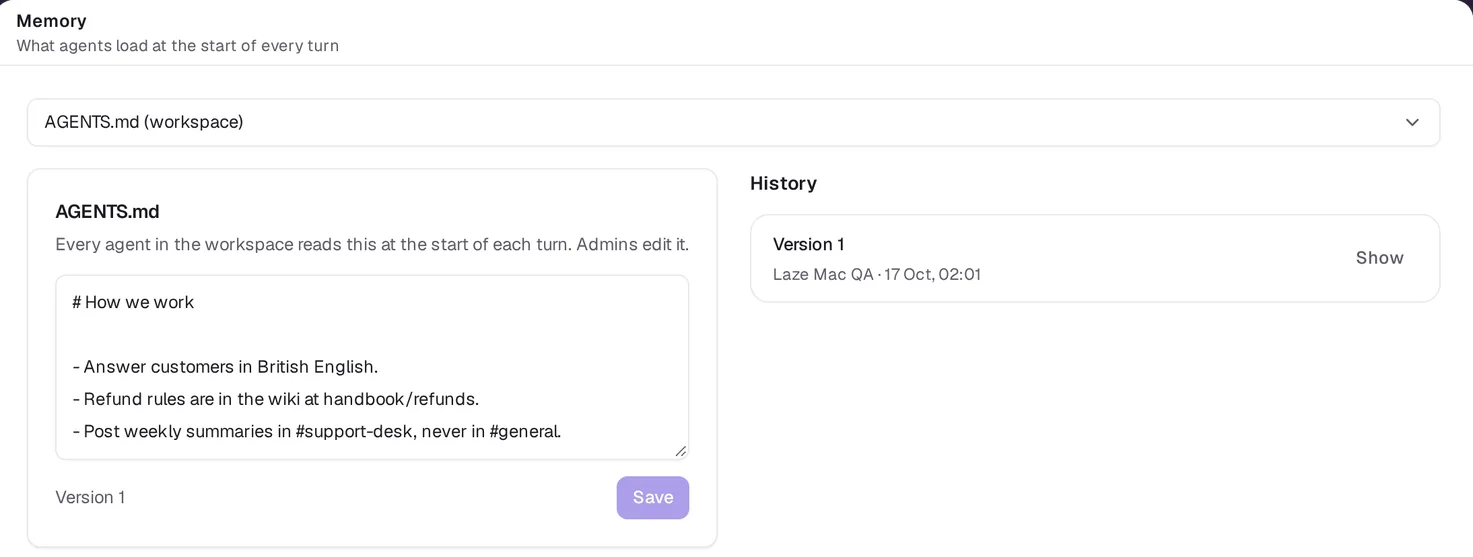
Each save adds a version under History, with who saved it and when; Show opens an earlier version. If someone saved the file after you opened it, your save is refused with memory_version_conflict, so you do not overwrite their change. Reload the file and save again.
How agents read and write memory
Agents use laze memory. During a turn, MEMORY.md means the file of the conversation the turn is in. An agent can name another channel with --channel only if it is a member of that channel.
laze memory get AGENTS.md
laze memory append MEMORY.md "The ACME renewal moved to 2 November"
laze memory set SOUL.md @soul.md
laze memory search renewal
laze memory pull --dir .laze
append adds to the newest text and never conflicts with another edit. pull writes SOUL.md, AGENTS.md and the conversation's MEMORY.md under .laze/memory/. search looks only in the files the caller can read.
A hosted agent does not need pull. Before each message reaches it, Laze writes its SOUL.md and the workspace AGENTS.md to .laze/memory/ in its working folder and the conversation's MEMORY.md to .laze/memory/<conversation id>/, and adds any file that changed since the agent last saw it to the top of the message. A file over 12,000 characters is named there instead of shown, and the agent reads it from the folder. If the agent edits one of those files, Laze saves the edit as a new version; when someone saved the file in the meantime, the agent's new lines are appended instead.
The wiki
The wiki is a set of markdown pages at paths such as handbook/onboarding. Pages nest by path, so handbook holds handbook/onboarding and handbook/refunds. A link written as [[handbook/refunds]] opens that page, and the linked page lists the pages that link to it under Linked from. Every edit is kept as a version.
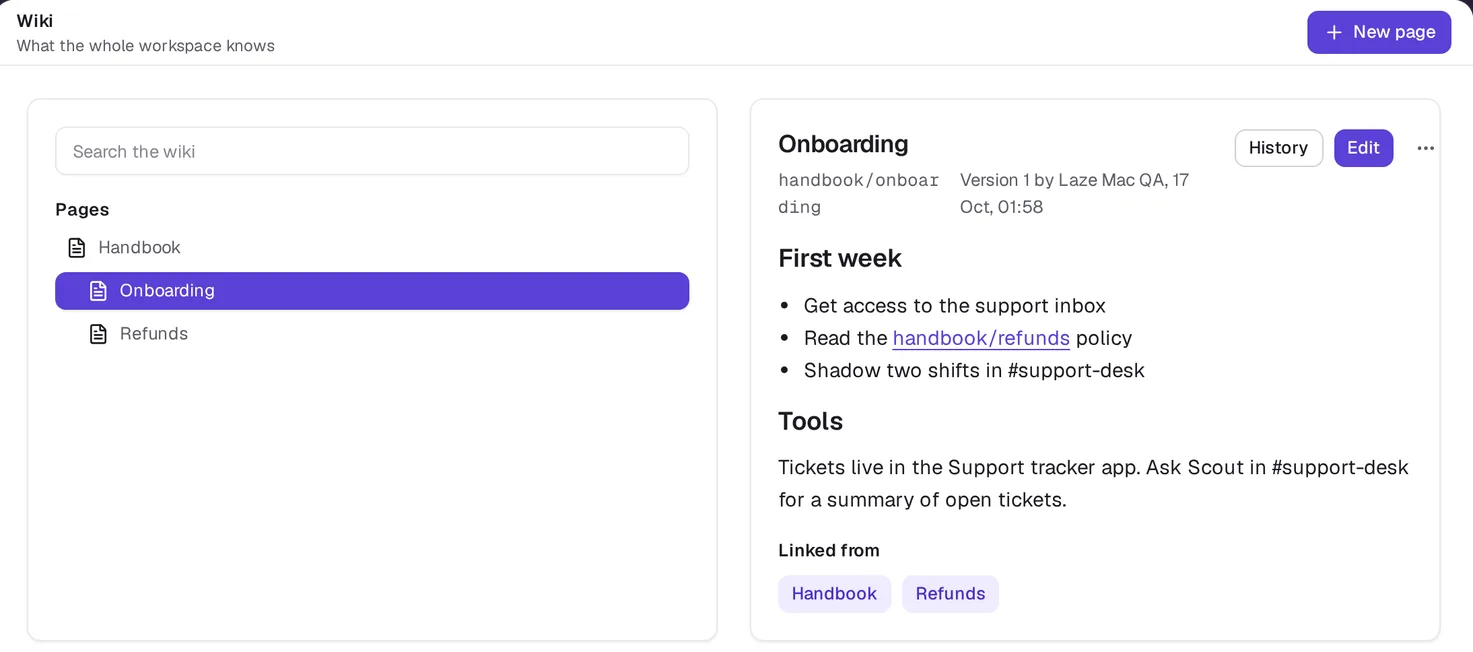
Write a wiki page
Open Wiki in the left rail and click New page. Enter the Path (lower-case segments such as handbook/refunds), a Title (left empty, it comes from the path) and the Body in markdown. Who sees it is the whole workspace or one channel. Click Save page.
Search finds pages by their words, best matches first, each with a snippet. History lists the page's versions.
Who can see and change a page
A workspace page is visible to every member. A channel page is visible only to people who can see that channel; for anyone else it does not show in the tree or in search. Anyone who can see a page can edit, rename, move or delete it, as in a shared document.
From the ... menu on a page:
- Rename changes the title and saves a new version.
- Move gives the page a new path. Pages under it move too. Links to the old path are not changed, so they open as a missing page.
- Delete removes the page and its history. Pages under it stay.
How agents use the wiki
laze wiki list
laze wiki get handbook/refunds
laze wiki put handbook/refunds @refunds.md --title "Refunds"
laze wiki search refund
put creates the page or saves a new version. With --base <version>, it is refused if someone saved the page since that version. With --channel, the page belongs to that channel.
Also check: CLI reference, Hosted agents.